News & Trends / United States · Digital privacy
Google Privacy Policy Update: Gmail, Photos and Ads
The Google privacy policy now makes an important exception to its promise about Gmail, Drive and Photos: if you choose to connect their data to another Google service that supports personalized ads, that data can help shape the advertising you see.
The policy is effective October 16, 2026, and the change drew renewed attention in reporting on October 23. The distinction to keep in view is between granting another Google service access to personal content and giving an advertiser access to an inbox. Google’s published explanation describes the former and says the latter does not happen.
What changed in the Google privacy policy
The current policy says users may allow services such as Search or Gemini Apps to draw on data from Google Photos and Workspace apps, including Gmail and Drive. It also says Search may process some of the permitted data to personalize content, including ads.
The old, broad assurance about not basing personalized ads on content in those apps now has an exception for data users choose to make available to other services supporting personalized advertising. The permission and the receiving service’s settings therefore matter; keeping photos in Google Photos is not, by itself, the same decision as connecting them to Search.
Google also added an October 16 note to its older Photos storage announcement. The note explains that, when people enable these connected-app features, the subset of data used to personalize other experiences can also be used for ads, depending on settings. That is the relevant new clarification; the original announcement dates to 2020.
How summaries can enter the advertising chain
Google’s Search help page for connected content apps draws a distinction between the source material and what Search derives from it. It says ads are not based directly on a Gmail inbox or Google Photos library. But summaries, excerpts and inferences used to personalize the Search experience may also be used to show ads.
That makes “directly” a consequential word. Imagine asking an assistant to suggest activities near a hotel mentioned in a booking email. The useful result relies on a detail brought from a private account into another service. The privacy question is what happens to that detail after it becomes part of the personalized experience. This is an illustration of the mechanism, not an account we tested or an ad we observed.
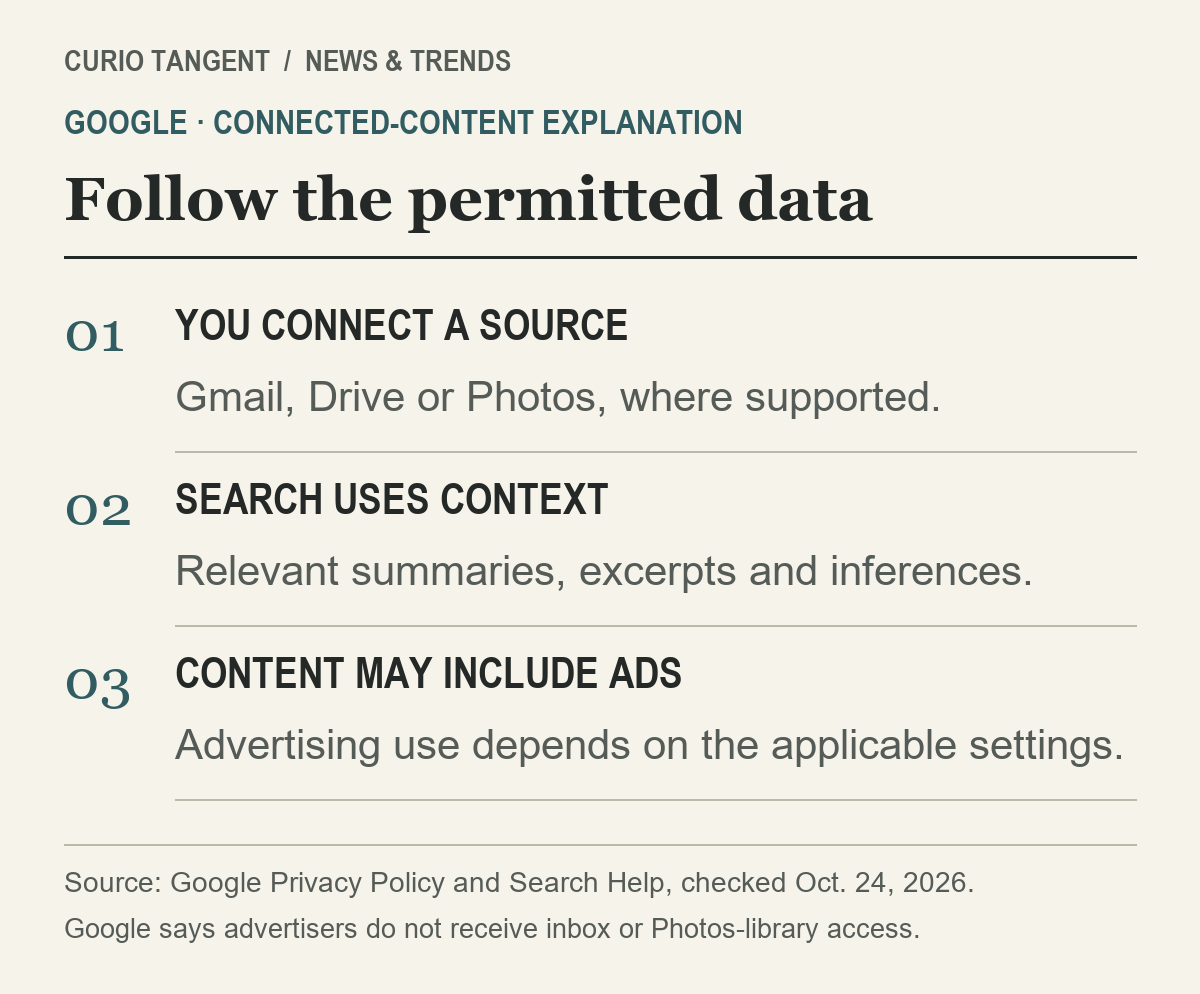
Google says advertisers do not get access to the connected inbox or photo library. Its policy also excludes sensitive categories such as health, religion and sexual orientation from personalized ad targeting. Those statements should sit beside the new permission, rather than disappearing from a headline about email and ads.
Three controls answer three different questions
It helps to treat access, ad personalization and saved activity as separate decisions. The following is a reading guide to the controls, not a claim that every account has the same features or menus.
| Control to inspect | Question it answers |
|---|---|
| Connected content apps | Which personal sources may this service use? |
| My Ad Center | Is account-based ad personalization switched on? |
| Activity and history controls | What activity is saved or used for recommendations? |

My Ad Center’s introduction explains that switching personalized ads off changes how ads are selected. It does not remove advertising. Google says ads can instead depend on general context, such as the topic of a page or the time of day. Asking for fewer ads about a topic is also different from blocking that topic entirely.
A second My Ad Center guide illustrates why the controls should not be collapsed into one switch. Turning off activity from sites and apps for ad personalization does not switch off personalized recommendations in Search. Likewise, disabling YouTube History for ads does not necessarily stop that history from being saved or used for recommendations.
The practical lesson is to read the label of the specific setting. “Stop using this for ads,” “stop connecting this source” and “delete saved activity” describe different outcomes. Do not assume one action performs all three.
A useful way to review an account
Before connecting content, write down what the feature needs to accomplish. An assistant finding a booking confirmation needs different access from a simple web search. Check which account is signed in, which apps are connected and whether an employer manages the account. Availability and controls can vary by product and region.
Then review ad personalization separately in My Ad Center. Note whether the choice is a broad personalization switch or a narrower activity control. If an explanation also mentions stored interactions or model improvement, follow that service’s own history and privacy guidance; an advertising preference is not a substitute for reading those terms.
This review does not require assuming that Google sells inbox access, nor assuming that an optional connection has no advertising consequences. The published documents describe a more specific arrangement: a user-authorized data connection can influence another service’s personalized experience, and that experience may include ads.
For a related change in how assistants use connected accounts, see our Claude Duet research-preview explainer. Our AI fact-checking guide also shows how to trace a confident summary back to the document behind it.
For the practical controls, see how to disconnect Gmail and Photos from Google AI. The guide separates Gemini, Search, advertising and saved activity.
Sources and method
This article compares Google’s current privacy wording, its dated Photos note and the linked product-help pages. The advertising explanation is attributed to Google; we did not inspect a reader’s account, change any settings or independently audit ad delivery. Checked October 24, 2026.
Prepared with AI assistance; the policy and product descriptions were checked against the linked material.